How to Implement CSAT Surveys Using Feedback Listeners in Studio
Customer Satisfaction (CSAT) surveys help you measure user experience and improve your service. With the Feedback node in Studio, you can collect structured feedback at the right moment in your conversation flow.
What Is a CSAT Survey?
CSAT (Customer Satisfaction Score) measures how satisfied a customer is after an interaction. It's typically one simple question:
“How satisfied are you with your experience?”
You can capture this through your chatbot flow using Studio’s Feedback block.
Setting Up a Feedback Node
Step 1: Open Your AI Studio
Go to Flows in Studio and open the scenario where you want to collect feedback (like after a support conversation or purchase).
Step 2: Add the Feedback Node
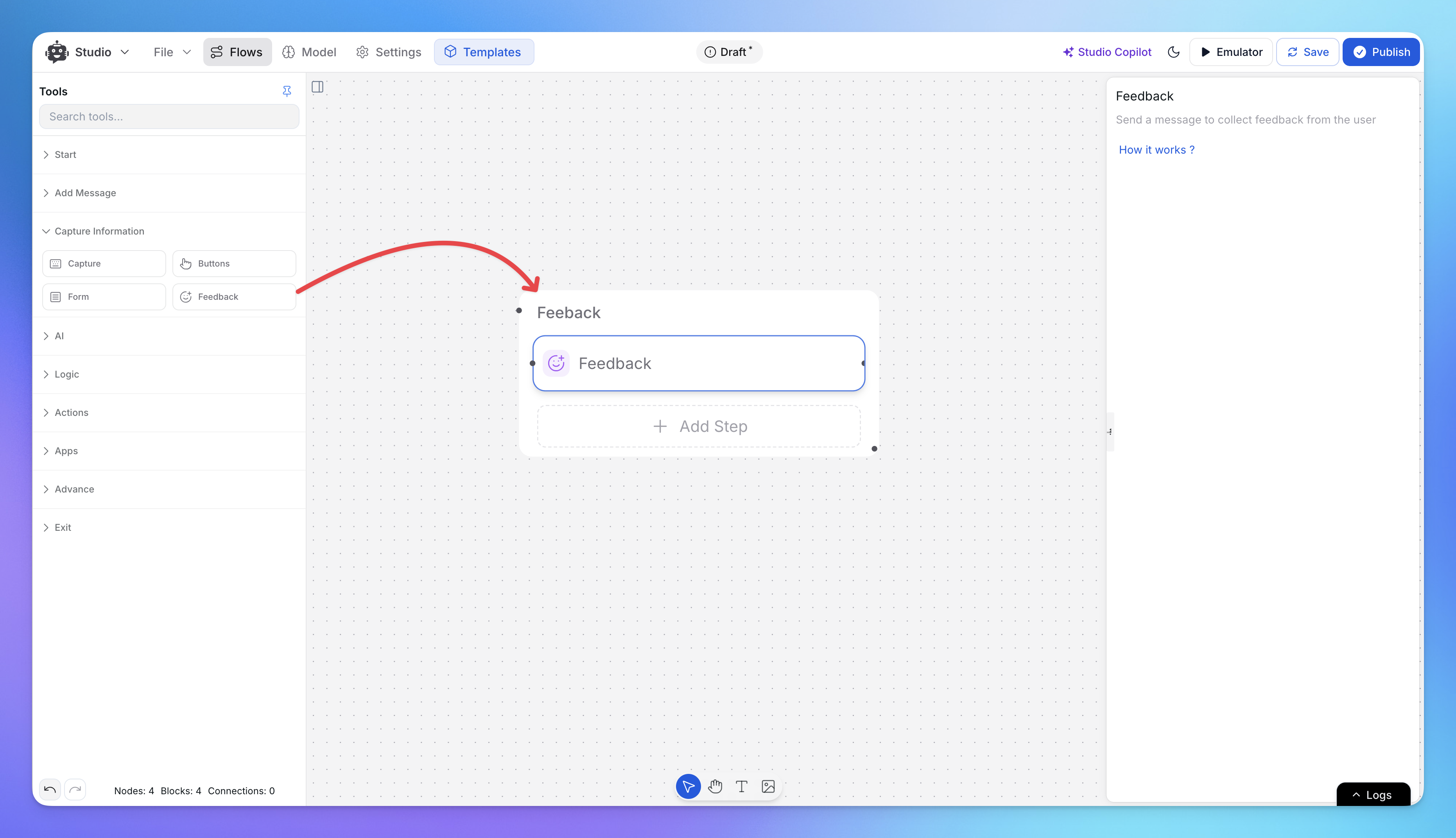
In the left sidebar under Capture Information, click Feedback.
This adds a Feedback node to your canvas.
Step 3: Connect the Feedback Node
Connect the Feedback node to the step where you want to collect feedback.
When your AI agent reaches this point in the conversation, it will automatically ask the user for feedback.
Example: Collecting Feedback After Support
User asks: "Where is my order?"
AI agent checks the system and provides the order status
User confirms they got the information they needed
Add a Feedback node right after this step
The agent will now ask: "How satisfied are you with the support today?"
That's it. Feedback is collected when the issue is resolved.
Where to Find Feedback Data
All collected feedback appears in your Analytics dashboard, where you can track satisfaction scores over time.
Related Articles
Queue Replies
Learn how to setup Queue Replies in CivicAi Chatbot
Prompt Templates examples
Examples of detailed bot persona prompts and their restrictions for AI chatbots.
Limiting Number of Messages on your AI Agent
Explore how to effectively manage user access by limiting the number of messages
Building an AI Assistant for HR Operations
Handle employee queries, onboarding, and more with AI
Build an Internal AI Knowledgebase for your Team
Use AI to automate team workflows, onboard faster, and give instant access to business knowledge.
Make your AI Chatbot Proactive to Boost Visitor Engagement
Set up proactive chatbot triggers in CivicAi to boost visitor engagement and start conversations at the right moments.
How to Set Up Notifications for Human Escalation
This guide provides step-by-step instructions on how to set up notifications across various platforms when a human escalation request is made.